
Is there actually an integration between Blue10 and my accounting system? ‘We are switching to a different accounting system. Does Blue10 connect with that too?’ These are questions we often hear from both new and existing customers. That is why we are introducing a new feature in Blue10: the Integration page. This overview helps you quickly gain insight into the various accounting systems that Blue10 can connect with and provides the option to request new accounting systems.
Integration page in Blue10
Using the new Integrations menu, you can navigate to the Integration page, a central overview of all accounting systems that Blue10 can be linked to. Here you can immediately see whether your accounting system is supported.
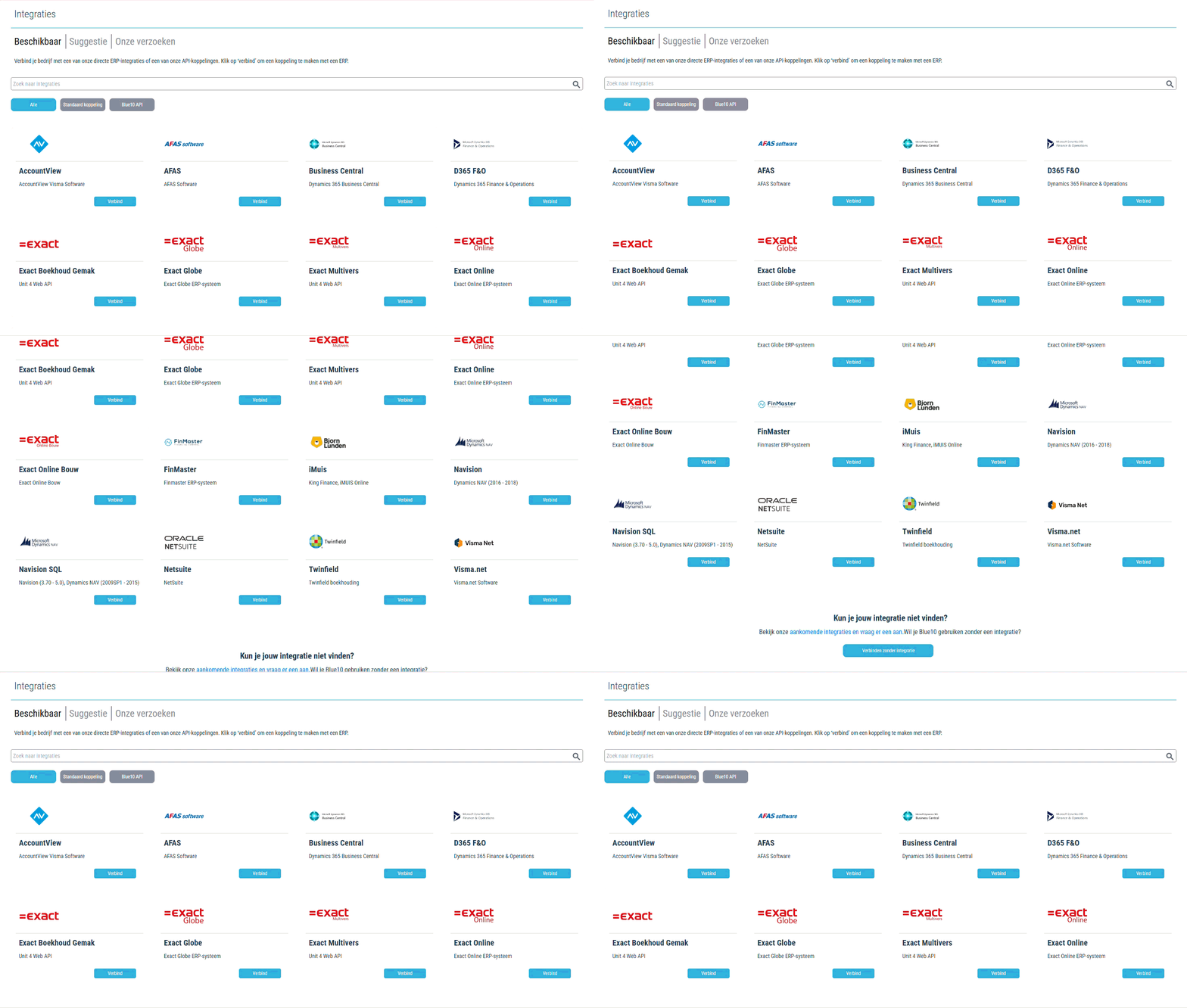
Are you an administrator in your Blue10 environment? Then you will see the Connect button next to each accounting system. This takes you directly to the screen where you can create a new company linked to the selected accounting system. Would you like to know how to create a new company for your accounting system? Read more here.
Changing the accounting system for an existing company now works differently too. Instead of a drop-down menu where you could select an accounting system, you are now first redirected to the Integration page, where you can easily select a different accounting system. You can read the steps for changing the accounting system here.
Requesting a new integration
Is your accounting system not listed in the overview? Then you can submit a request for an integration with the Integration page.
At the top of the page, you can click on Suggest. This will open an overview of the requested integrations. Use the Request button to indicate that you are also interested in this. Is your accounting system not listed yet? Then click on Request a new ERP integration at the bottom of the page to request a new integration yourself. Learn more about how to request an integration? Read more here.
This gives us insight into the demand for different accounting systems among existing customers and allows us to make targeted choices when developing new integrations.
Manage requests
On the integration page, under Our requests, you can see which accounting systems have been requested in your environment. You can see when and by whom a request was submitted. You can also view the status and cancel the request if necessary.
